Atom remote-ftp tool
A new .ftpconfig file, one right-click away on Windows.
Atom's remote-ftp package reads its connection settings from a .ftpconfig file, and Windows makes that file awkward to create. This tool registers the file type, so it appears in the New menu with its own name and icon.
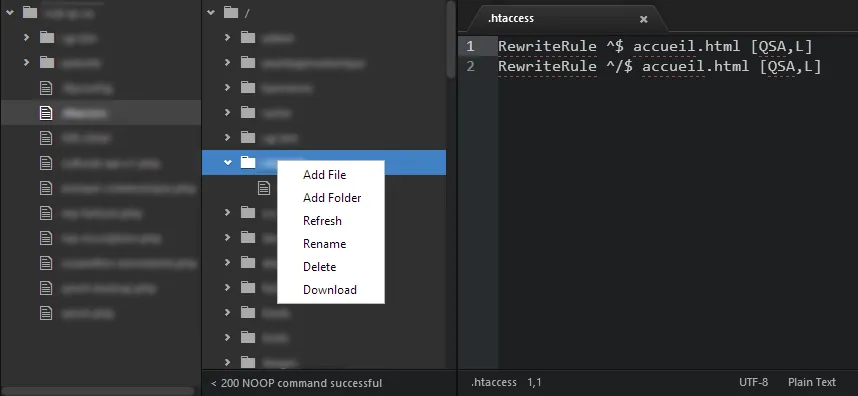
What you are looking at
- This is remote-ftp in Atom, the package the tool serves.
- Its settings come from a .ftpconfig file in the project folder, which is the file the tool makes easy to create.
Screenshot from the original project, April 2022 or earlier.
// what-it-does
What it does
If you used Atom with remote-ftp on Windows, making the config file was the annoying part.
Windows does not like files that start with a dot and have no name, and there was no quick way to make one. The tool fixes that once, at the shell level.
What it sets up
- Registers the .ftpconfig file type, with a name and an icon
- Adds it to New in the right-click menu (ShellNew)
- Lets you change the default content of each new file
- Opens it for editing in Notepad, Notepad++ or Atom
// how-it-was-built
How it was built
AutoIt 3, compiled to one executable.
It ships as a single file, atom remoteftp tool.exe, free to use and share. The original notes thank the people behind Atom, the remote-ftp package and AutoIt, and so do I.
Archived. GitHub retired Atom in December 2022, so the tool went with it. The source stays on GitHub.
// portfolio/
Where the work went next
The portfolio is the record. The plugins, apps and systems I still maintain have their own pages, with current versions and numbers.
- PortfolioEvery old project, filterable by category
- ProductsThe plugins, apps and systems I keep running
- Open sourceEvery public project, with its status and numbers
- Ultimate InvoiceInvoices, slips and labels for WooCommerce
- Advanced Profile SolutionGrown from Ultimate Profile Solutions
- Receipt Uploader for WooCommerceBank transfer receipts, against the right order
- ServicesWordPress, WooCommerce and custom builds today