Hush
Everything to text, right on your Mac.
Drop in audio or video and Hush turns the speech into text, subtitles or a document. It runs whisper.cpp on the Mac itself, so nothing is uploaded, and it handles Persian as well as English. A Telegram bot, text to speech and live dictation come with it.
Free, MIT licence, no accounts or servers. The app is not notarized, so the first launch needs right-click, Open. Figures from the GitHub API, 6 October 2026.
What it does
Pick files, press Start, get text. The defaults are chosen, the rest sits under Advanced.
Any audio or video
OGG and Opus voice notes, WAV, MP3, M4A and FLAC, plus MP4, MKV, MOV and WebM. FFmpeg pulls out the audio, whisper.cpp writes the text.
Ten export formats
PDF, Word, plain text, text with times, SRT and VTT subtitles, LRC, CSV, JSON and Markdown. PDF and Word come out right to left for Persian.
A queue with finish actions
Add a folder and walk away: progress and time left per file, then a notification, a sound, a Telegram message, sleep or shut down. A quit mid-run resumes next launch.
Edit with playback
Each line is tied to its moment in the recording. Click to hear it, fix the words, find and replace, then export again.
Text to speech
Read any text aloud with the macOS voices or Piper's natural voices, Persian included, and save it as MP3, M4A, WAV or OGG.
Live dictation
Talk into the microphone and the words appear as you speak, transcribed by a whisper-server running on the Mac.
Screenshots
The main window on macOS 27, in English and in Persian.
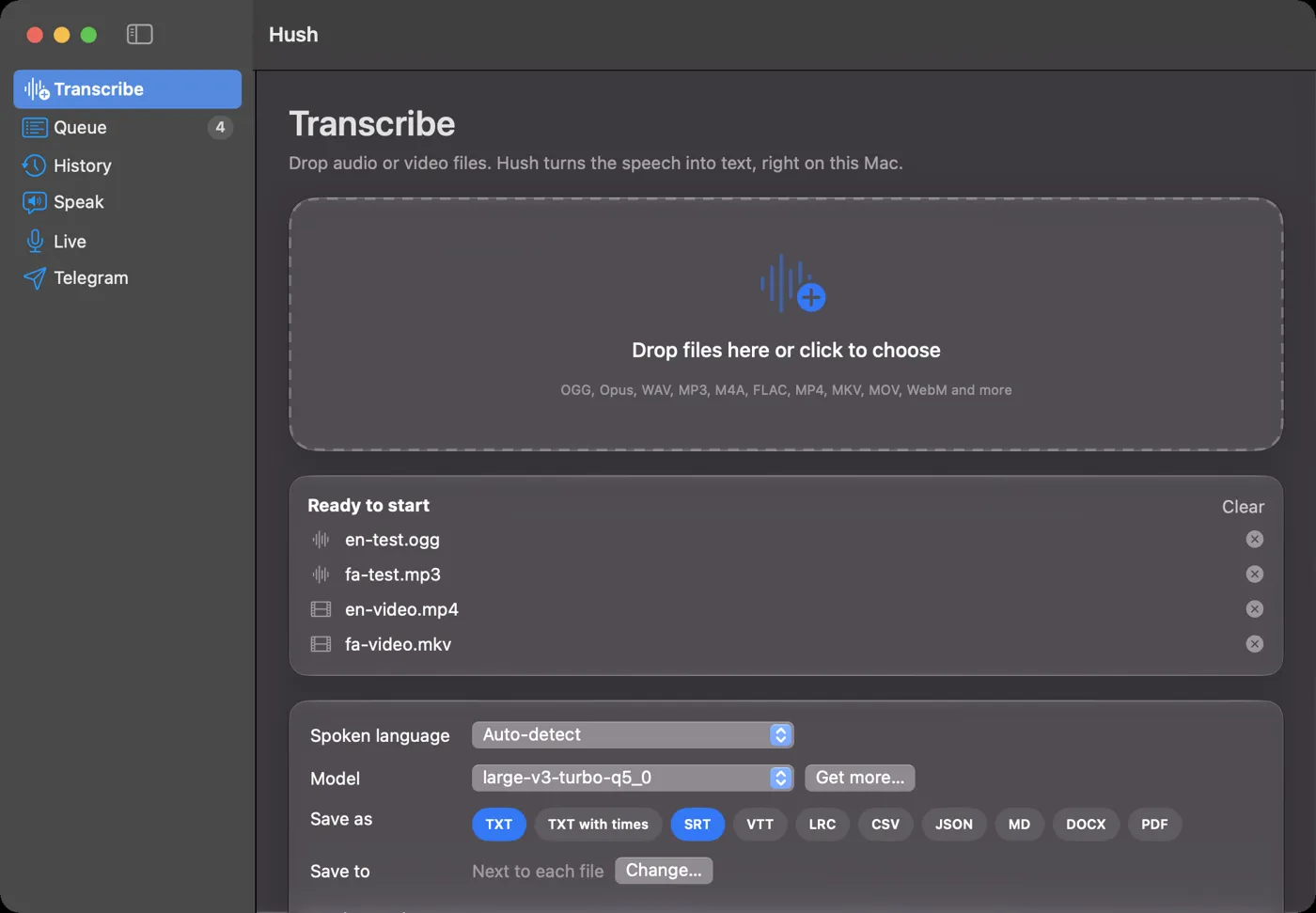
Transcribe 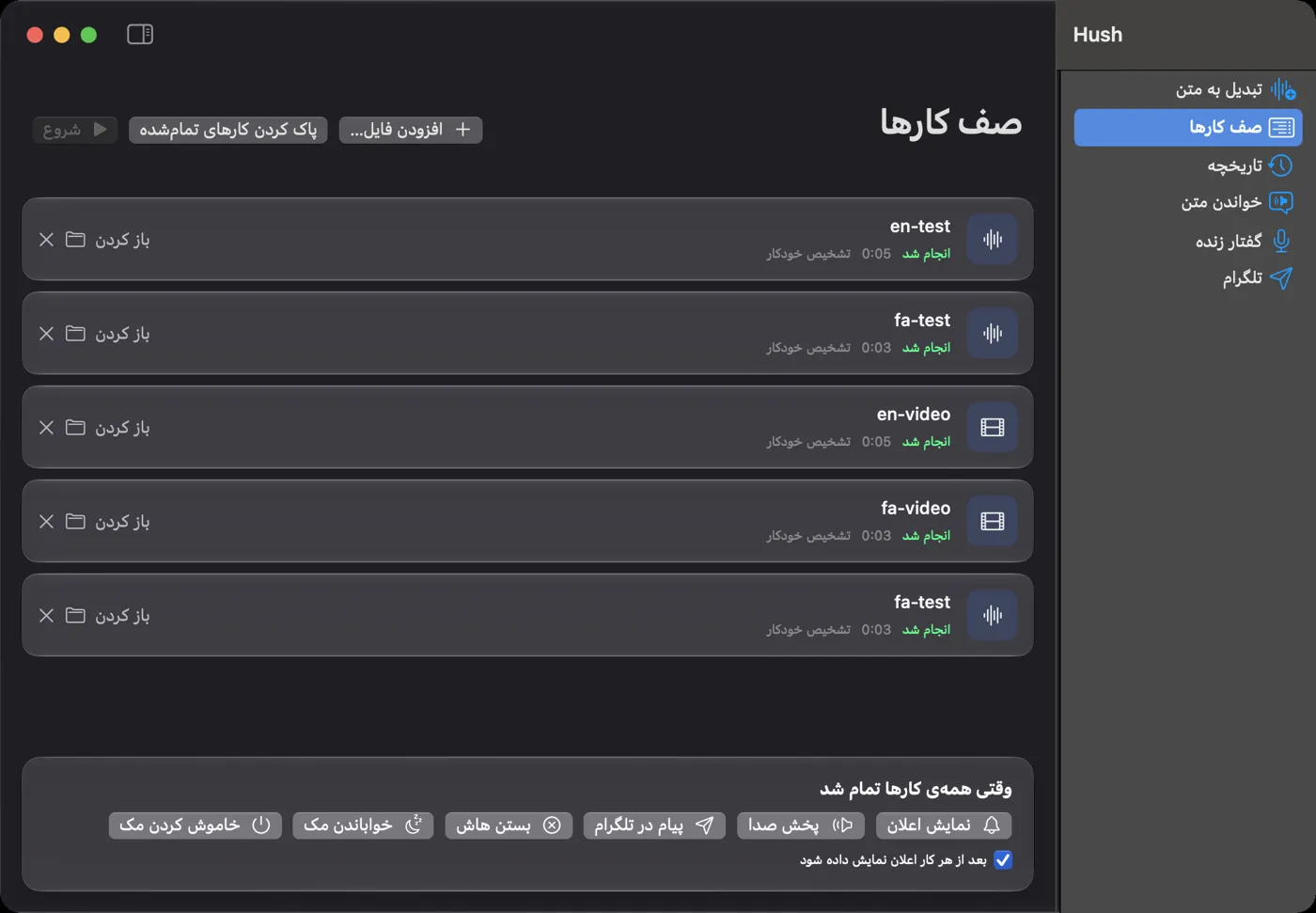
The queue, in Persian 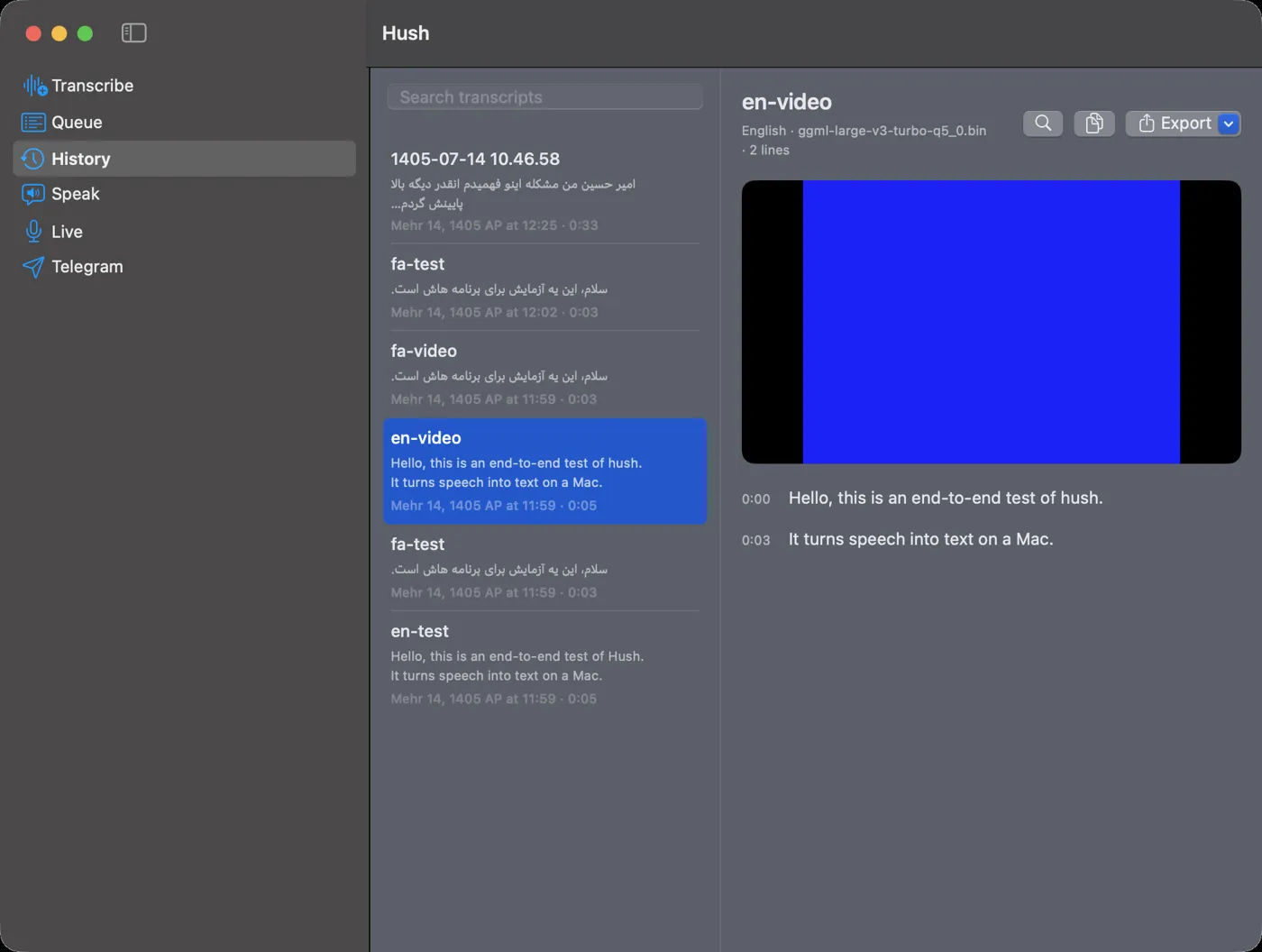
History and editor
Persian, not an afterthought
The whole interface switches to Persian and flips right to left.
Transcripts get their Arabic letter forms, spacing and the zero-width non-joiner fixed automatically, so میشود is written the way a Persian reader expects. PDF and Word exports are laid out right to left.
macOS has no Persian voice, so Hush installs Piper and lets you download its Persian voices from Settings. A Persian sentence read by Piper and transcribed back by Whisper comes out as the same sentence, which is how the two directions were tested.
Your Mac as a voice-to-text bot
Connect your own bot, send it a voice message, get the text back.
🎙 Voice message · 0:42
⏳ Got it, transcribing…
سلام، جلسهی فردا ساعت ده برگزار میشود.Hush
/tts Meeting moved to 10
🔊 Audio · 0:03
While Hush is open, the Mac long-polls Telegram and answers voice messages, audio, video and round video notes with their text, as a message, an SRT file or both. /lang sets the spoken language per chat and /tts reads text back as audio. Bot jobs go to the front of the same queue.
Access works like KeepMeUp: the first /start has to be allowed on the Mac, and after that pairing stays closed until you open it for five minutes. The token sits in a file only your user can read. Finished transcripts and the audio extracted from a video can also be sent to Telegram from the app, and an HTTP or SOCKS proxy covers filtered networks.
How it works
A SwiftUI app that drives proven command-line tools. No third-party Swift code.
Each file is probed with ffprobe, converted to 16 kHz mono WAV with ffmpeg and passed to whisper-cli, whose progress output drives the bar. If Whisper gets stuck repeating one phrase, the file is run again without context. The tools are installed and updated from Settings through Homebrew, and any Whisper model, tiny to large-v3-turbo, is one download away.
Live dictation keeps whisper-server running with the model loaded and sends it short chunks split on pauses. The window can be Liquid Glass on macOS 26 and later, or a translucent colour with a blur slider, like Terminal. Updates come from GitHub Releases and are installed only when the zip's Ed25519 signature matches the key in the app.
// one file, start to finish
ffmpeg -i talk.mkv -vn -ar 16000 -ac 1 talk.wav
whisper-cli -m ggml-large-v3-turbo-q5_0.bin \
  -f talk.wav -l fa -oj -pp

// then Hush writes PDF, SRT, DOCX…
Getting started
macOS 14 Sonoma or later on Apple Silicon. After the first setup it works without internet.
Install
Download
Hush.dmgfrom the latest release and drag Hush to Applications.First launch
The app is not notarized, so right-click it, choose Open, then Open again. If macOS still blocks it, click Open Anyway in System Settings, Privacy & Security.
Tools and a model
The welcome screen installs whisper.cpp and FFmpeg with Homebrew and downloads a speech model. large-v3-turbo-q5_0 is a good balance for Persian and English.
Transcribe
Drop files on the window, choose the output formats and press Start.
Releases
Every GitHub release with the first line of its notes and its download count, refreshed from the GitHub API every day.
| Version | Released | What changed | Downloads |
|---|---|---|---|
| 1.0.0 | 6 Oct 2026 | Offline transcription of audio and video with whisper.cpp (OGG, Opus, WAV, MP3, M4A, FLAC, MP4, MKV, MOV, WebM) | 0 |
// open-source/
More open source
The other projects with a page of their own. The rest, 58 in all, are in the explorer, each with its status and where the numbers come from.
- Receipt Uploader for WooCommerce1,000+ installs, rated 5.0 from 14
- upload-url-to-serverOne PHP file, 32 releases since 2020
- Justify It and Lorem SazAdobe XD plugins, 11,015 downloads, archived
- CF7 DatabaseContact Form 7 submissions, kept and exported
- Gravity Forms OTP VerificationA one-time code before the entry is saved
- Block External RequestWordPress's outbound calls, under control
- Slipnet for macOSA Mac client for a DNS-tunnelling VPN
- KeepMeUpKeeps the Mac awake, takes orders from Telegram
- HushSpeech to text on the Mac, Persian and English
- BDM, BlackSwan Download ManagerSegmented downloads on the Mac, with browser extensions
- Firefox add-onsFive published, 4.6 average rating