jDate
The Jalali date in your Mac's menu bar.
macOS shows the Gregorian date only. jDate puts the Persian date in the menu bar and opens a popover with the month, the Gregorian and Hijri dates, Iranian holidays, your own calendars and birthdays, weather and world clocks. Version 8 adds desktop widgets, 8.1 adds occasion themes for Nowruz, Ramadan, Christmas and more and animated or video headers, and 8.2 makes the popover Liquid Glass with a Terminal-style blur and adds a year calendar of birthdays.
Free, GPL v3, no accounts. The app is not notarized, so the first launch needs right-click, Open. Figures from the GitHub API, 3 November 2026.
What it does
Click the date in the menu bar. Everything else is one click from there.
Three calendars
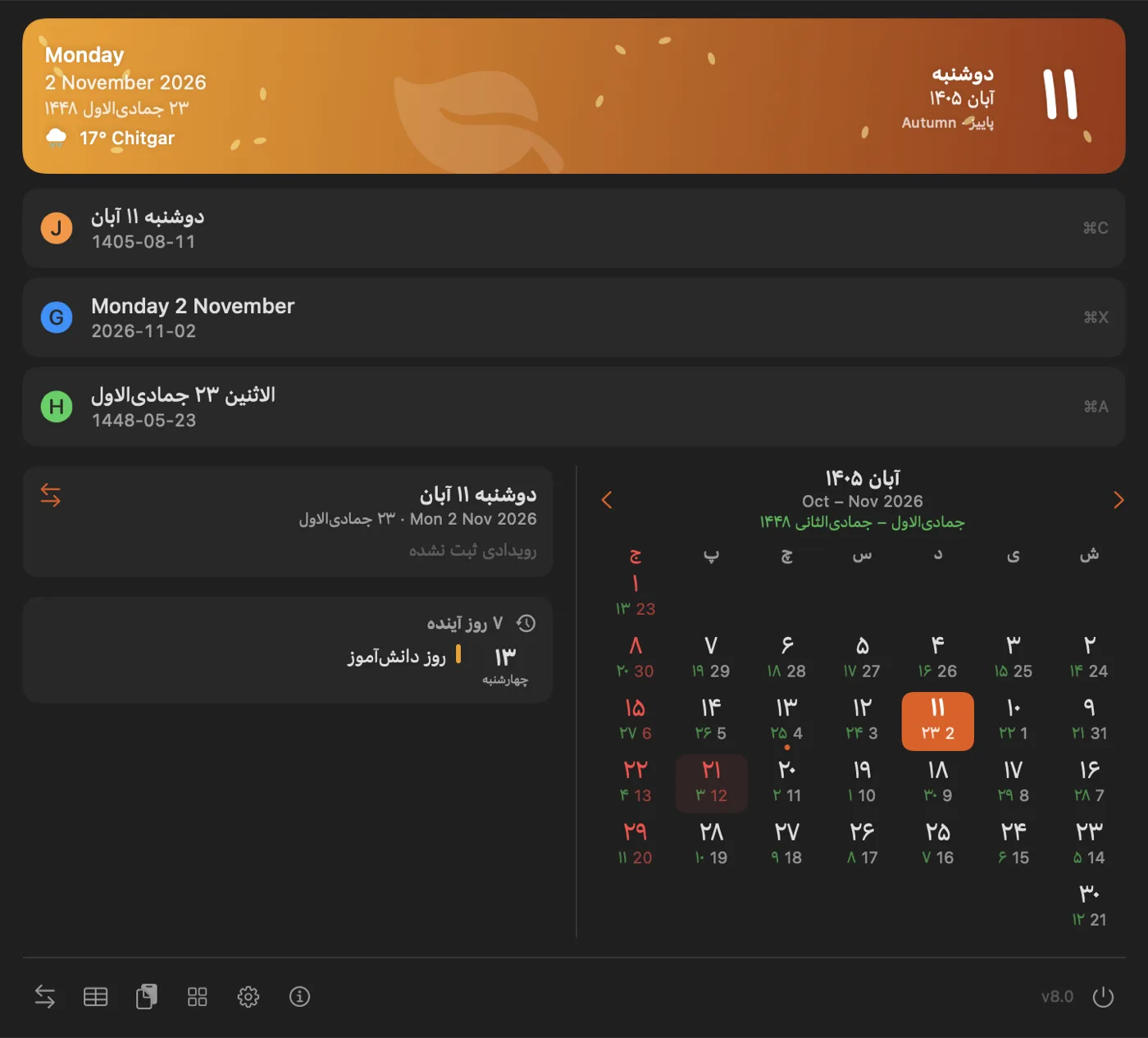
Jalali, Gregorian and Hijri dates side by side. Click one to copy it, or press ⌘C, ⌘X or ⌘A. The Hijri date has a day offset and a choice of variants.
Iranian holidays
Solar and lunar public holidays, Yalda, Chaharshanbe Suri and other occasions are built in, so the month shows them without a network connection.
Your calendars and birthdays
Google, iCloud and other calendars through macOS Calendar, public ICS feeds, and birthday reminders from Contacts or your own list in any of the three calendars, with a year calendar and a timeline of the next twelve months.
Weather and world clocks
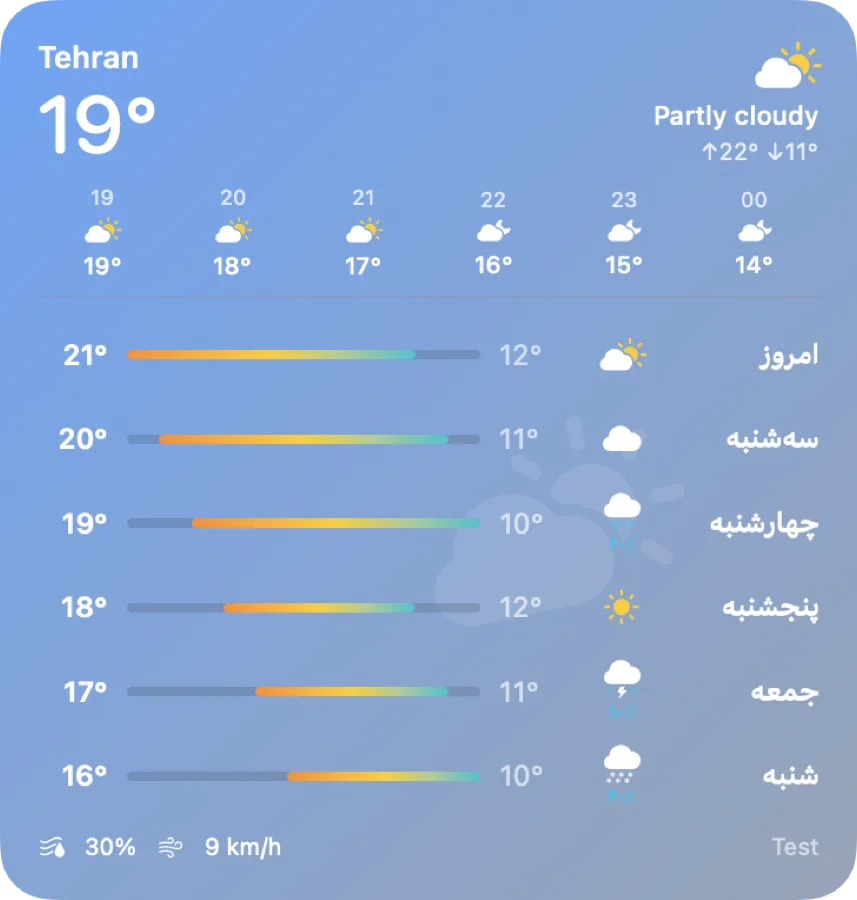
Current weather and a 5 to 7 day forecast from Open-Meteo, MET Norway, wttr.in, OpenWeatherMap or WeatherAPI, plus clocks with the time difference.
Your layout
Show, hide and reorder sections, size widgets to a full, half or third row, any installed font, a wide two-column popover, and your own colors for holidays and weekends, with the weekend days you choose.
Headers and glass
A seasonal, weather or animated header, your own photo or looping video, and occasion themes that switch on by themselves. You pick which lines the header shows, their size and color. The popover is Liquid Glass with your color, opacity and blur, and one preset copies Terminal's Pro look.
Tools
A date converter, a date difference calculator, a menu bar icon designer with your own date format, a global shortcut (⌃⌥J) and launch at login.
Screenshots
Version 8.0: the wide popover, the classic one with widgets, and the layout editor.
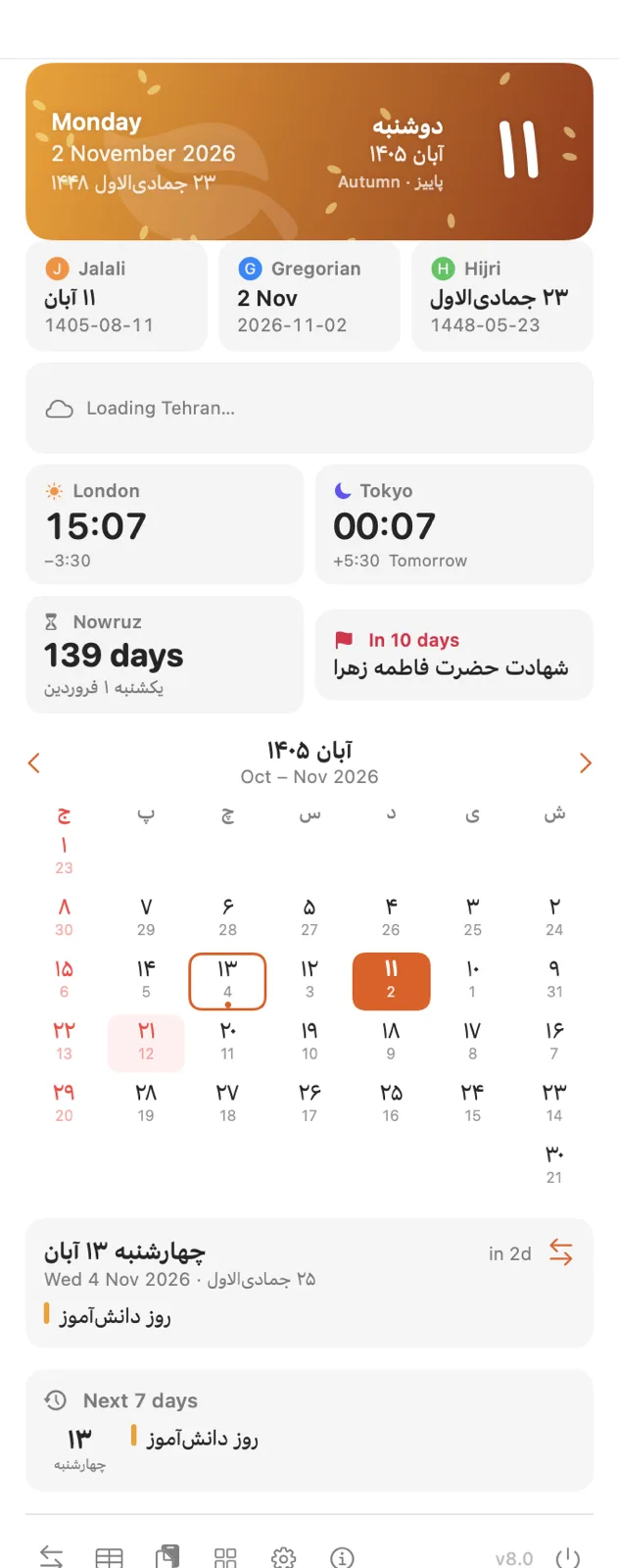
Classic popover 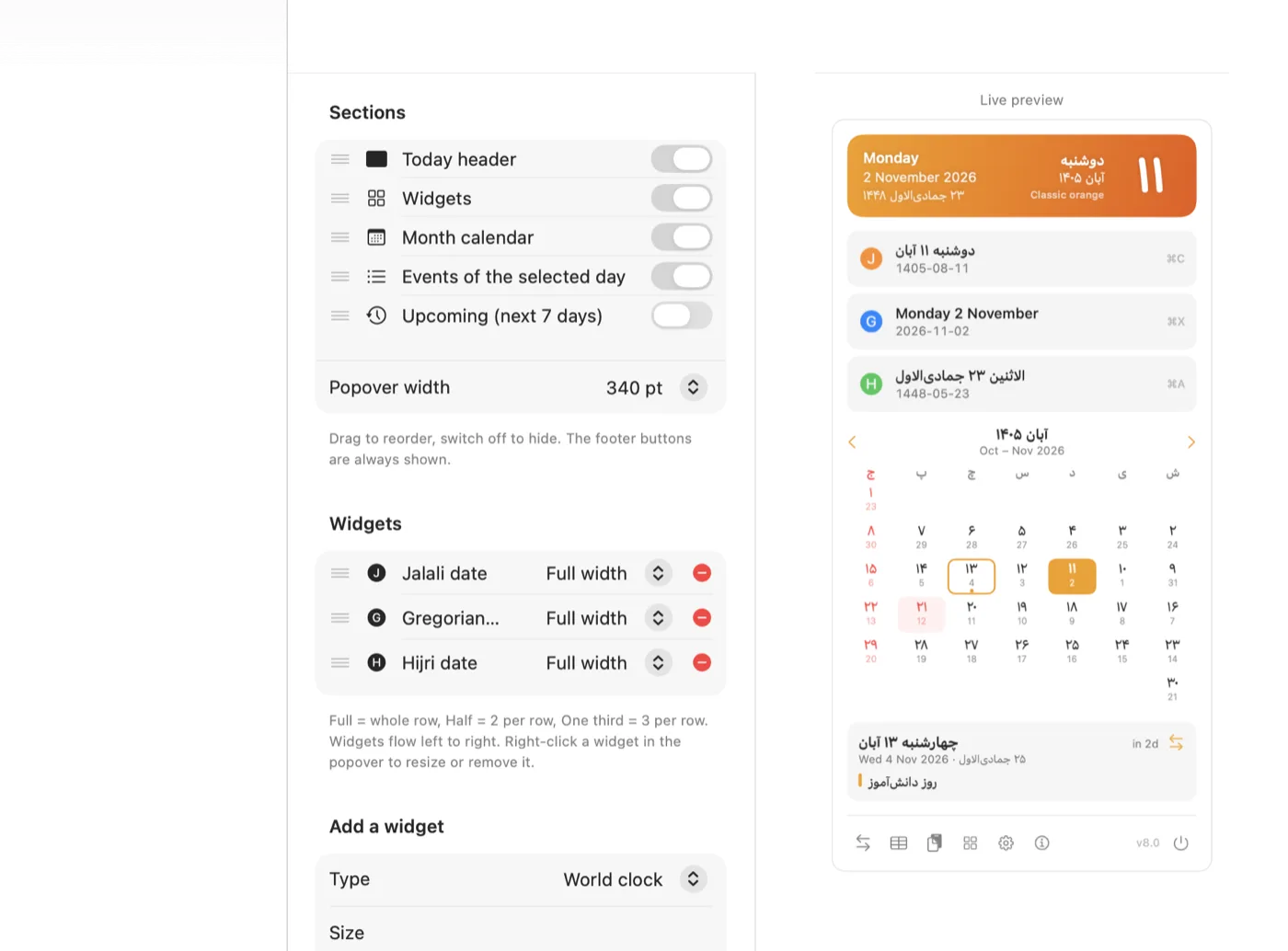
Customize the popover
Themes for the day
Version 8.1: thirteen occasion themes turn on during their days and go back to your own style after. Each one can be turned off.
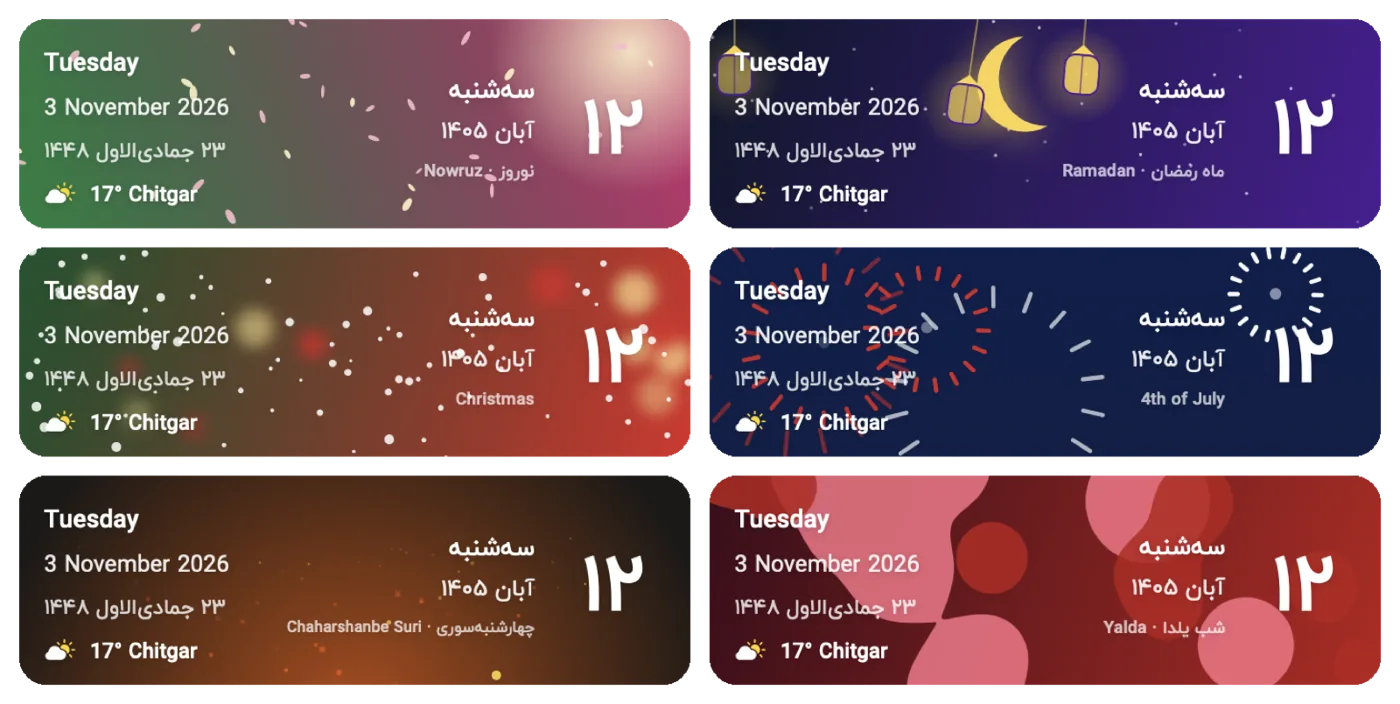
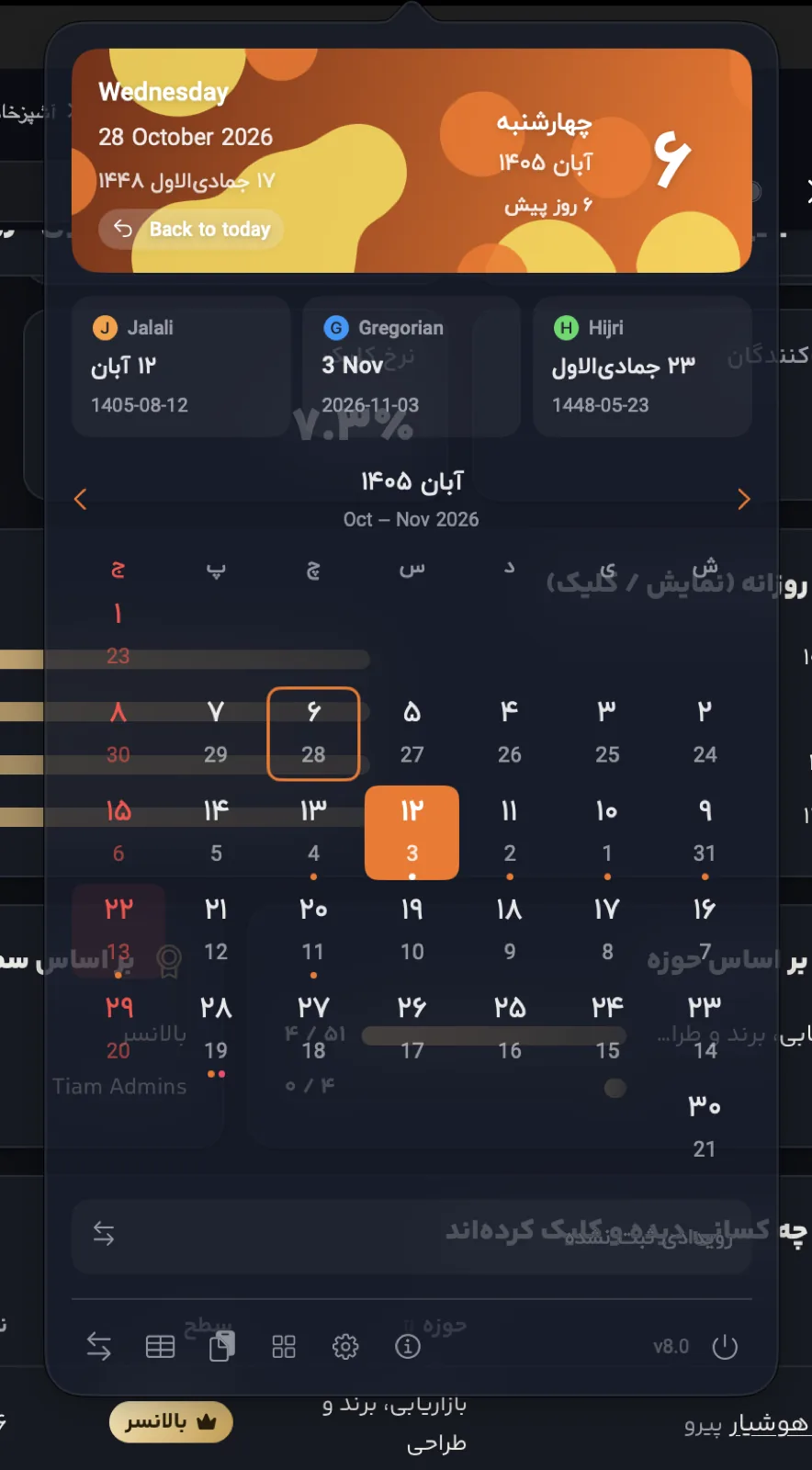
Glass background, animated header 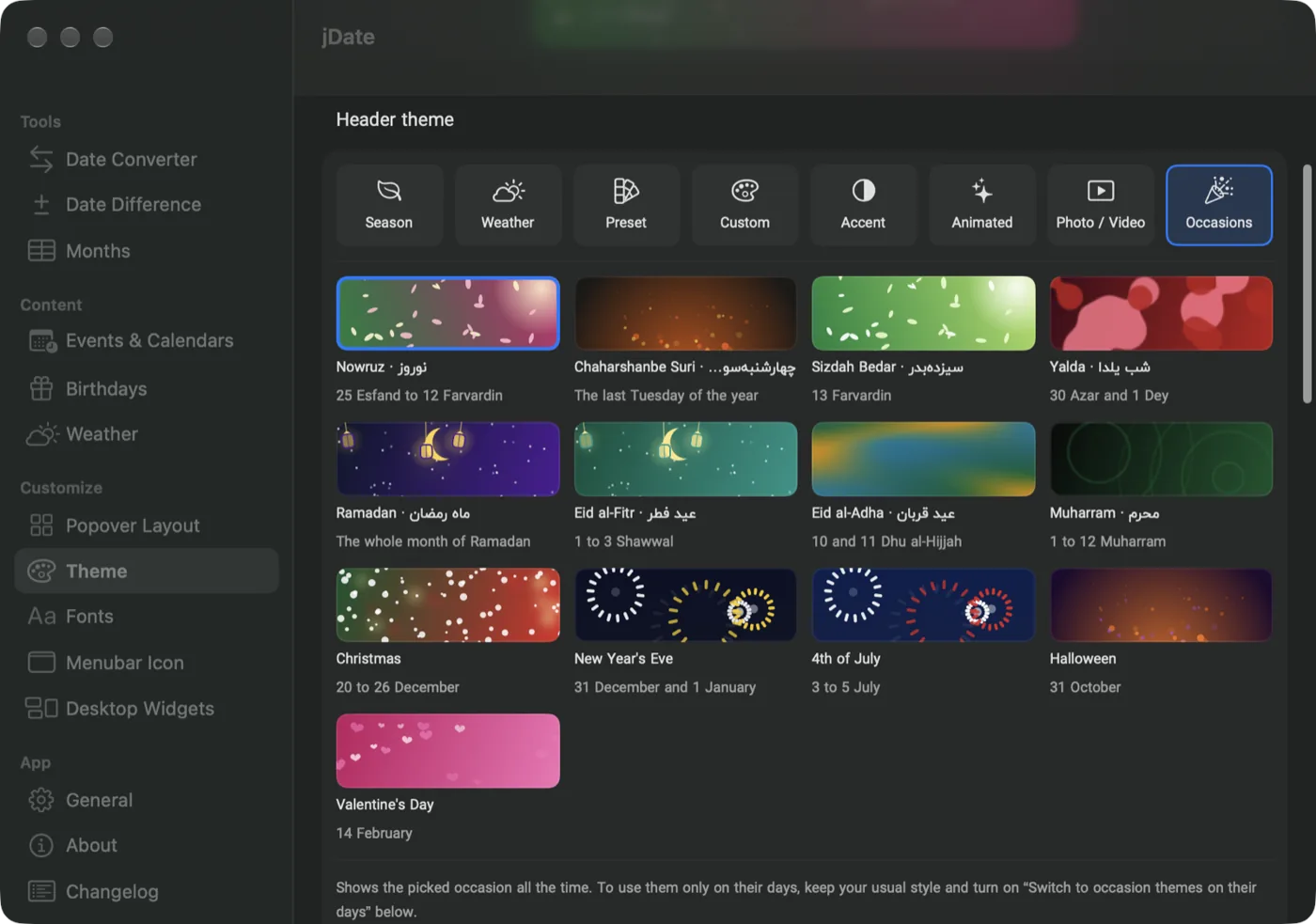
Theme settings
New in 8.2
The popover is real Liquid Glass and blurs the desktop behind it the way Terminal does. Birthdays get a year calendar and a timeline, and each line of the header can be hidden, resized or recolored.
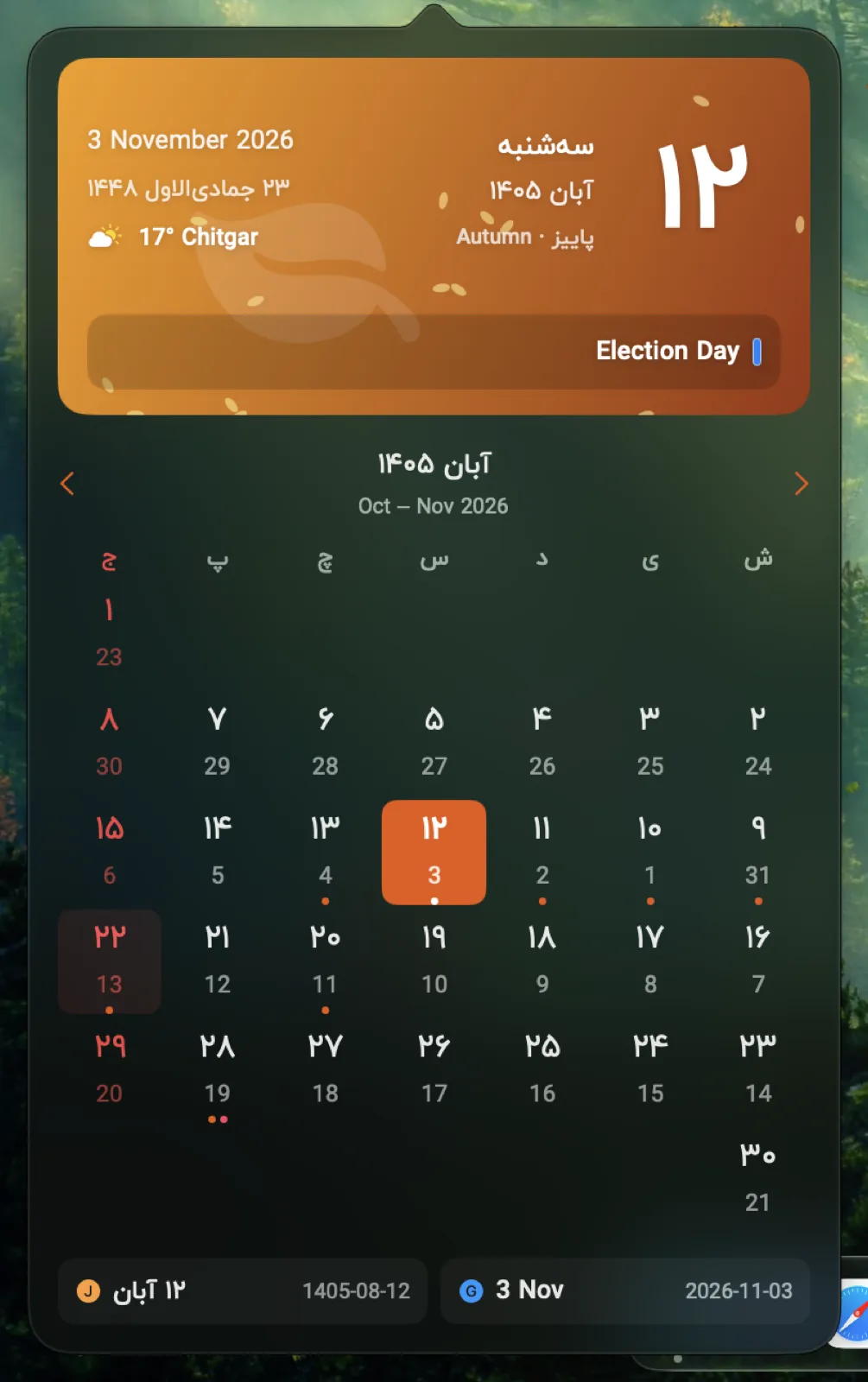
Liquid Glass, Terminal preset 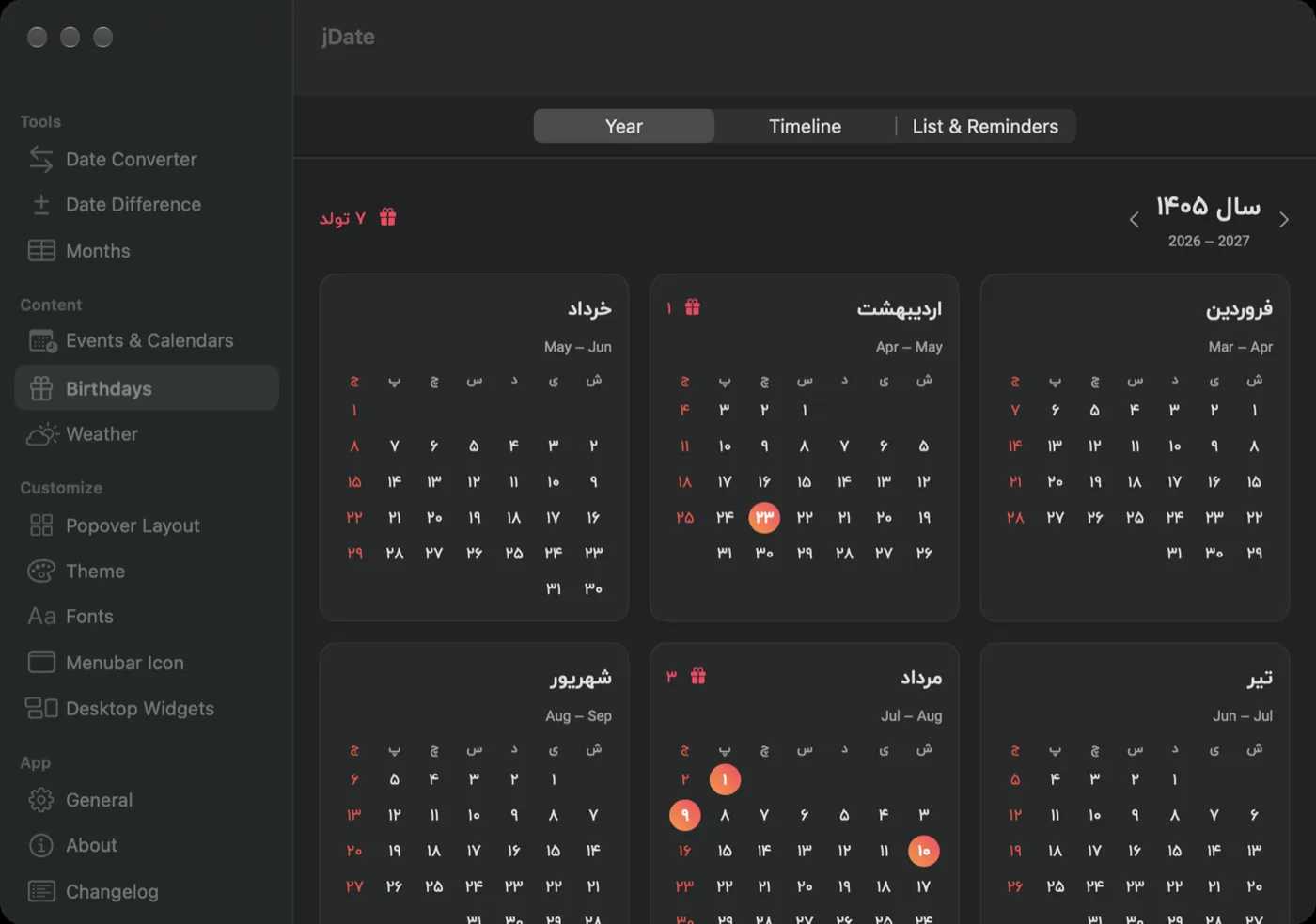
Birthdays, year calendar
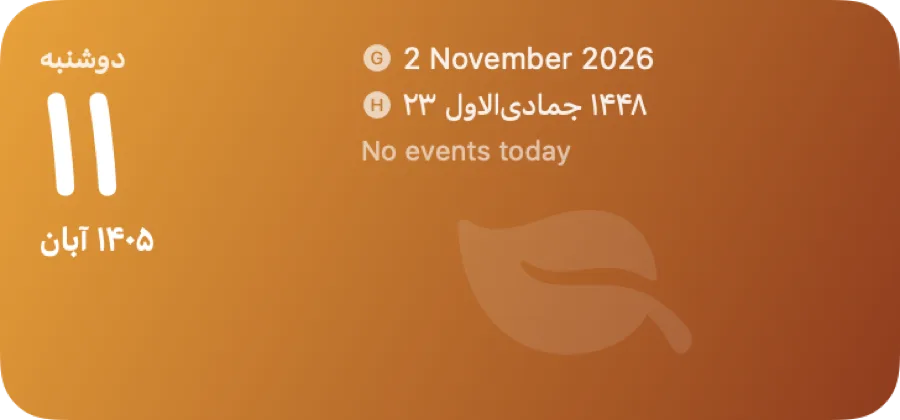
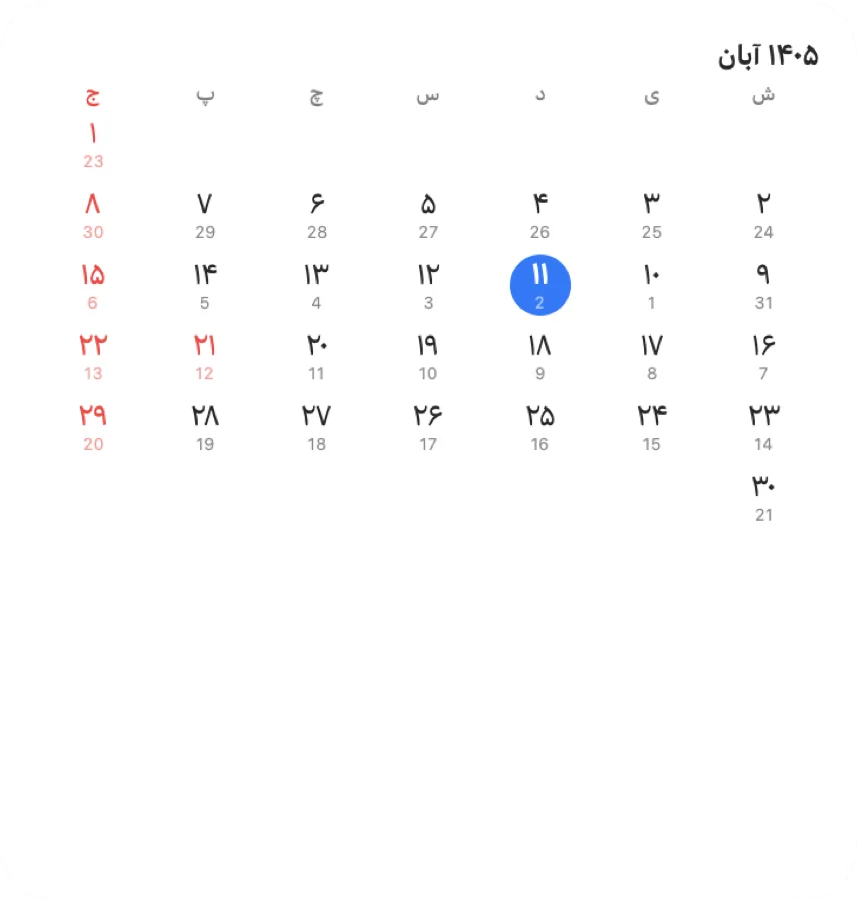
Desktop widgets
Today, Month, World Clock, Upcoming, Weather and Countdown, for the desktop or Notification Center. Since 8.1 they can share one glass background that you set in the app.
How it works
A SwiftUI app in an NSPopover, with no third-party code.
Dates come from Foundation's Persian and Islamic calendars. The holiday table is a Swift list of solar dates and Hijri dates converted with your offset, so Ashura or Eid move correctly from year to year. Calendar events come from EventKit and birthdays from the Contacts framework, and both are asked for only when you turn the feature on.
The widgets are a WidgetKit extension. The app writes the day's events and the last weather reading into a shared App Group file, and the widgets read it, so they stay up to date without their own network calls. Weather providers fall back to Open-Meteo when the one you picked fails.
On macOS 26 the popover keeps the system Liquid Glass view and puts a backdrop blur layer under it, so the desktop behind is blurred with a radius, like Terminal's Blur slider, and only inside the popover's shape.
// the menu bar date, in Persian digits
let cal = Calendar(identifier: .persian)
let f = DateFormatter()
f.calendar = cal
f.locale = Locale(identifier: "fa_IR")
f.dateFormat = "d MMMM"
f.string(from: .now) // ۱۲ آبان
Getting started
macOS 15 Sequoia or later, Apple Silicon or Intel.
Install
Download
jDate.dmgfrom the latest release and drag Jalali Date to Applications.First launch
The app is not notarized, so right-click it, choose Open, then Open again. If macOS still blocks it, click Open Anyway in System Settings, Privacy & Security.
Pick what you want
Right-click the date in the menu bar for Settings. Turn on calendars, birthdays or weather there; each asks for its permission the first time.
Add widgets
Right-click the desktop, choose Edit Widgets and search for jDate.
Releases
Every GitHub release with the first line of its notes and its download count, refreshed from the GitHub API every day. The full history is in the changelog.
| Version | Released | What changed | Downloads |
|---|---|---|---|
| 8.2.0 | 3 Nov 2026 | The Jalali, Gregorian and Hijri date tiles follow the day you click in the calendar, and clicking one (or ⌘C, ⌘X, ⌘A) copies that day's date | 0 |
| 8.1.0 | 3 Nov 2026 | Click a day in the calendar and the header shows that day; click the header to jump back to today. | 2 |
| 8.0.0 | 2 Nov 2026 | Desktop & Notification Center widgets: Today, Month, World Clock, Upcoming, Weather and Countdown: each configurable (calendar, digits, style, cities…) | 2 |
| 6.0.0 | 23 Mar 2025 | Date Converter View: Convert dates across Jalali (Persian), Gregorian, and Islamic (Hijri) calendars with a live, side-by-side view. | 22 |
| 3.0.0 | 5 Nov 2024 | fixed icon not updated | 3 |
| 2.0.0 | 3 Nov 2024 | Enhanced Menubar Display: Updated the menubar display to improve clarity and ease of use. | 3 |
| 1.0.0 | 3 Nov 2024 | Initial release on 1403-08-13 | 2024-11-03. | 4 |
// open-source/
More open source
The other projects with a page of their own. The rest, 62 in all, are in the explorer, each with its status and where the numbers come from.
- Receipt Uploader for WooCommerce1,000+ installs, rated 5.0 from 14
- upload-url-to-serverOne PHP file, 32 releases since 2020
- Justify It and Lorem SazAdobe XD plugins, 11,015 downloads, archived
- CF7 DatabaseContact Form 7 submissions, kept and exported
- Gravity Forms OTP VerificationA one-time code before the entry is saved
- Block External RequestWordPress's outbound calls, under control
- Slipnet for macOSA Mac client for a DNS-tunnelling VPN
- KeepMeUpKeeps the Mac awake, takes orders from Telegram
- HushSpeech to text on the Mac, Persian and English
- BDM, BlackSwan Download ManagerSegmented downloads on the Mac, with browser extensions
- Firefox add-onsFive published, 4.6 average rating